

iThemeland Evaluates Leading WordPress Bulk Post Editing Tools Across Hundreds of Websites
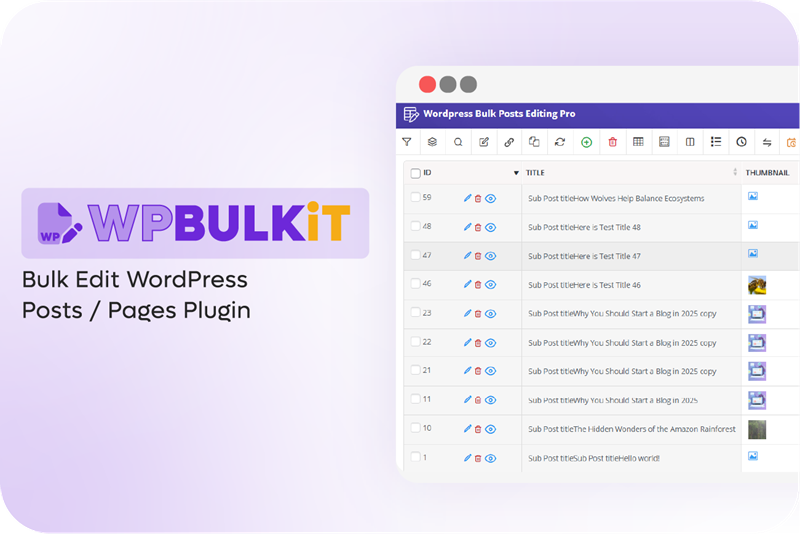
Bulk edit WordPress posts
We reviewed top WordPress bulk editing plugins, focusing on efficiency, flexibility, and real-world usability for managing high-volume posts and pages.
NY, UNITED STATES, December 20, 2025 /EINPresswire.com/ -- iThemeland has released a new study examining the efficiency and features of leading WordPress bulk editing tools, specifically focused on managing posts and pages across high-volume websites. As content libraries grow, manually updating individual posts becomes increasingly inefficient, prompting website managers to adopt structured bulk editing solutions.
Challenges in Traditional Post/Page Editing
WordPress sites with hundreds or thousands of posts face several recurring challenges:
1. Time-Consuming Individual Updates
Updating each post or page manually—whether changing categories, tags, custom fields, or content—becomes inefficient as the website grows. Teams often spend hours performing repetitive edits that could otherwise be automated.
2. Difficulty Maintaining Consistency
Manually editing multiple posts increases the risk of errors, inconsistent metadata, or mismatched categories. This can affect SEO, user experience, and content organization, especially on large blogs or multi-author websites.
3. Complex Custom Field Management
Many WordPress sites rely on custom fields and custom post types to store specialized information. Handling these fields individually across hundreds of posts can be tedious and prone to mistakes, requiring precise attention to maintain data integrity.
4. Limited Scheduling Options
Traditional editing workflows rarely allow batch scheduling. Updating post statuses, publication dates, or other time-sensitive information often requires repetitive manual intervention, which slows down campaign planning and content rollout.
5. Inefficient Bulk Actions
Without a proper bulk editing tool, applying updates across multiple posts—such as changing authors, adjusting SEO metadata, or updating featured images—requires repetitive clicks and opens the possibility of accidental omissions.
6. Difficulty in Filtering & Selecting Content
Identifying which posts need specific updates can be challenging without advanced filtering. Manual searches for categories, tags, authors, or custom field criteria are slow and error-prone, especially in high-volume sites.
Why Bulk Editing Tools Are Essential
Bulk editing plugins allow website managers to:
- Apply changes across multiple posts or pages at once.
- Filter content based on categories, custom fields, tags, or authors.
- Automate repetitive tasks and schedule updates.
- Maintain consistent metadata and taxonomies across large content libraries.
Evaluated WordPress Bulk Editing Solutions
To identify the most effective tools for managing high-volume post and page updates, we examined the capabilities, performance, and flexibility of leading WordPress bulk editing plugins. The focus was on real-world usability and efficiency in content-heavy websites
#1: WPBULKiT – iThemeland WordPress Bulk Post/Page Edit
iThemeland bulk edit WordPress posts plugin is designed for websites that require structured, multi-condition bulk updates. It supports filtering by categories, tags, authors, custom fields, and custom post types.
iThemeland WPBULKiT also allows scheduling changes, tracking action history, and undoing past updates. Its server-side processing ensures performance remains fast even on sites with extensive content libraries.
#2: WP All Import – Bulk Post/Page Management
WP All Import is widely used for spreadsheet-driven content management. It enables importing and updating posts/pages via CSV or XML files. The plugin supports custom fields, taxonomies, and post types, making it suitable for sites that prefer file-based workflows or integration with external content sources.
#3: WPBulky – VillaTheme WordPress Bulk Edit
WPBulky offers a form-based interface for fast mass editing of posts and pages. It provides bulk updates for categories, tags, post status, featured images, and custom fields. The tool is especially popular with sites that need rapid content adjustments without relying on spreadsheet workflows.
Conclusion
As content volumes rise, WordPress sites benefit from structured bulk editing workflows that reduce manual effort, ensure consistency, and improve operational efficiency. iThemeland WPBULKiT, WP All Import, and WPBulky provide flexible solutions for various content management needs.
Sara Jey
iThemeland
+1 533-579-6064
email us here
Visit us on social media:
LinkedIn
Facebook
YouTube
Legal Disclaimer:
EIN Presswire provides this news content "as is" without warranty of any kind. We do not accept any responsibility or liability for the accuracy, content, images, videos, licenses, completeness, legality, or reliability of the information contained in this article. If you have any complaints or copyright issues related to this article, kindly contact the author above.
